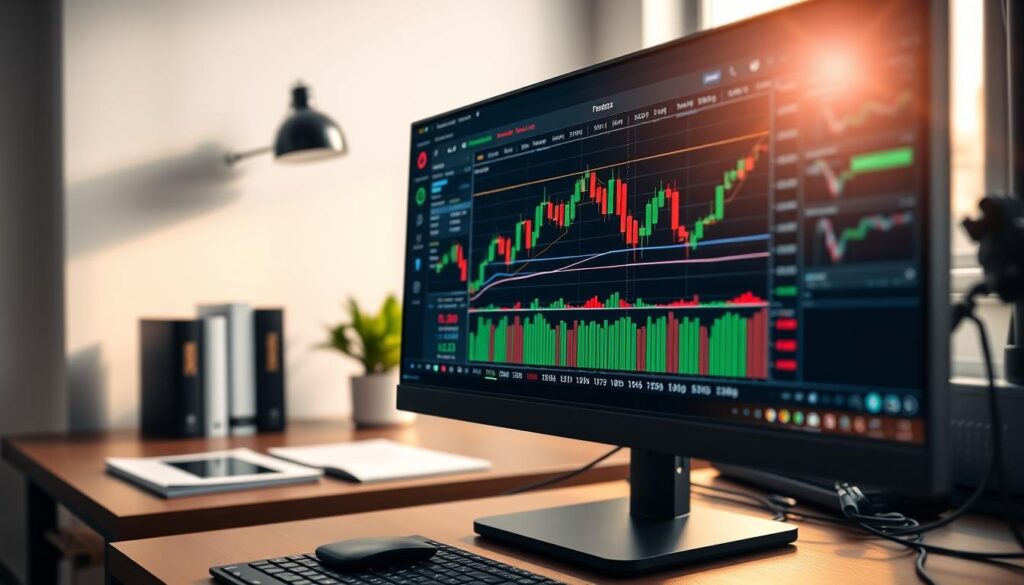
MetaTrader 4 represents a comprehensive solution for financial market participants in Southeast Asia. Developed by MetaQuotes Software Corp, this platform launched in 2005 with a focus on Forex markets.
The system quickly expanded beyond currency trading. It now supports various instruments including CFDs on stocks, commodities, and indices. This evolution made it a versatile tool for diverse investment strategies.
In Malaysia, this trading platform has gained significant popularity among local investors. Both novice and experienced traders appreciate its accessibility and reliability. The interface provides access to international markets while addressing specific regional needs.
Malaysian traders benefit from a complete ecosystem that includes analytical tools and educational resources. The platform’s comprehensive feature set supports informed decision-making. This makes MT4 particularly valuable for those navigating global financial markets.
The software continues to serve millions of users worldwide. Its enduring popularity stems from consistent performance and regular updates. For investors in this region, it offers a trusted gateway to international trading opportunities.
Introduction to MetaTrader 4 and Its Relevance in Malaysia
With comprehensive multilingual capabilities, this financial software bridges language barriers for diverse trading communities. The platform supports 39 languages, allowing Malaysian participants to conduct clear market analysis in their preferred tongue. This localization removes significant obstacles for the country’s varied investor base.
Technical architecture ensures excellent connectivity with local internet infrastructure. Stable performance persists even during volatile forex sessions. This reliability gives traders confidence when executing time-sensitive market operations.
The software’s modest system requirements make professional tools accessible without expensive hardware. Both beginners and experienced traders benefit from this democratized access. The user-friendly interface supports diverse trading strategies across global markets.
Understanding the Core Features and Tools of MetaTrader 4
Market participants gain access to advanced charting tools that transform raw price data into actionable trading insights. These powerful features form the foundation for effective market analysis.
Charting Capabilities and Timeframe Options
Traders can select from nine distinct timeframes for each instrument. Options range from one-minute charts for quick scalping to monthly views for long-term strategies.
The platform includes over thirty built-in technical indicators. These cover trend analysis, momentum, volume, and volatility measurements. Drawing tools like trendlines and Fibonacci levels enhance chart analysis.
Users can create and save custom chart templates. This allows instant application of preferred setups across different trading instruments.
Automated Trading and Expert Advisor Support
Expert Advisors (EAs) enable fully automated trading strategies. These systems operate 24/5 without manual intervention.
The built-in MetaEditor supports MQL4 programming. Traders can develop custom algorithms or modify existing ones. Thousands of community-created EAs and indicators are available online.
This creates a comprehensive environment where manual analysis and automated execution work together seamlessly.
How to Download MetaTrader 4 for Windows
The initial step toward using this financial software involves downloading the compact installation file. Windows users can expect a smooth setup process with native compatibility.
Obtaining the Installation Files
Traders should always download from official broker websites. This ensures authentic software free from security risks.
The installation file measures under 2 MB. Even slow internet connections can handle this small download quickly.
System Requirements and Compatibility Checks
Before downloading, verify your Windows operating system meets basic requirements. The platform runs well on most modern computers.
Check these key elements:
- Windows version compatibility
- Available hard drive space
- Stable internet connection
Windows security prompts may appear during installation. These are normal protective measures for any software download.
The modest system requirements make this trading platform accessible to many users. Even older computers can typically run it effectively.
Installing MetaTrader 4 on Your PC

Setting up the financial software on a Windows computer involves a user-friendly wizard. The process guides users through each step with clear instructions.
After downloading the setup file, locate it in your Downloads folder. Double-click the executable file to launch the installation wizard. The welcome screen appears with straightforward guidance.
Step-by-Step Installation Wizard Guidance
Clicking ‘Next’ progresses through each installation phase. The automated process configures all necessary system settings. It creates the proper folder structure for trading data and tools.
Installation typically completes in under one minute. This speed results from the platform’s compact design and efficient coding. Users can quickly move from download to active trading.
Upon completion, a confirmation message appears. The wizard automatically creates a desktop shortcut for easy access. This provides convenient launching points for the trading platform.
The entire setup requires minimal technical knowledge. Both beginners and experienced traders find the process straightforward. This accessibility makes the software suitable for various user levels.
Navigating the MT4 Terminal Interface
Upon launching the platform, traders encounter a default workspace configured for immediate use. This initial setup is designed to provide all essential information at a glance.
The central area displays multiple currency pair charts. On the left, the Market Watch window shows real-time price feeds. Below it, the Navigator panel provides access to accounts and analytical tools.
The bottom of the screen houses the Terminal window. This critical area displays active trades, account history, and alerts. It requires constant monitoring during trading sessions.
Customizing Your Workspace Layout
Traders can rearrange these interface elements to match their workflow. They can resize windows, detach charts for multi-monitor setups, and create personalized layouts.
The system allows saving multiple workspace profiles. This is ideal for different strategies like scalping or swing trading. It helps maintain consistency across various market conditions.
Several toolbars enhance the trading environment. Key toolbars include:
- Standard Toolbar: For common functions like new order and chart settings.
- Charts Toolbar: For quick timeframe selection and analysis.
- Line Studies Toolbar: For drawing tools and technical analysis.
This high level of customization makes the platform adaptable to any trading style. A personalized workspace can significantly improve decision-making speed and efficiency.
Exploring the Variety of Trading Instruments on MT4

One of the platform’s key strengths lies in its wide array of available trading instruments across multiple asset classes. This diversity allows traders to build comprehensive strategies beyond simple currency trading.
Traders can access three categories of currency pairs: major, minor, and exotic. Major pairs like EUR/USD offer high liquidity, while exotic pairs provide opportunities in emerging markets. This coverage spans all significant economic regions worldwide.
Contracts for Difference (CFDs) expand trading possibilities to include global stock indices. Popular options include the S&P 500, FTSE 100, and regional Asian indices. Commodity CFDs cover precious metals, energy products, and agricultural goods.
The instrument diversity enables effective portfolio diversification strategies. Traders can spread risk across different asset classes rather than concentrating exposure. This approach helps manage volatility in various market conditions.
Users can easily navigate available instruments through the Market Watch window. This feature displays real-time prices and allows adding new pairs to watchlists. Traders can access detailed specifications including spreads and trading hours for informed decision-making.
Setting Up and Managing a Demo Account in MT4
Demo accounts serve as essential training grounds where investors can test strategies without financial exposure. These simulated environments provide the perfect starting point for market education.
The Benefits of Practicing with a Demo Account
A free demo account offers access to real market conditions with live price feeds. Traders experience the same environment they’ll encounter with real money. This eliminates capital risk while building essential skills.
Users can open multiple demo accounts to experiment with different approaches. This allows testing various account types and trading strategies simultaneously. The virtual funds create a safe space for learning.
Both beginners and experienced traders benefit from these practice accounts. They provide testing environments for new strategies before deploying them with real capital.
Guided Registration and Account Setup Process
The registration process begins by clicking the “Demo Account” button. Traders complete a simple form with basic information. They select preferred account type and leverage ratio during setup.
After submission, users receive login credentials via email. This enables immediate platform access for trading practice. The straightforward process takes only minutes to complete.
Account configuration options include currency selection and initial virtual balance amounts. These settings reflect realistic trading scenarios for comprehensive practice.
Customizing MT4 Settings for a Personalized Trading Experience

Personalizing the trading environment transforms how investors interact with market data. The platform offers extensive settings that adapt to individual preferences and workflows.
These adjustments enhance both visual comfort and operational efficiency. Traders can create a workspace that feels uniquely their own.
Optimizing Chart Templates and Color Schemes
Chart appearance settings allow for significant visual customization. Users can modify colors, backgrounds, and font sizes for optimal viewing.
This reduces eye strain during long sessions in different lighting conditions. The chart template system saves preferred indicator combinations instantly.
Alert configurations provide valuable monitoring assistance. Pressing CTRL+T opens the Alerts tab where users set notifications for specific price levels.
Traders can customize sounds, trigger prices, and notification methods. This allows market monitoring without constant screen watching.
Order execution settings include one-click trading functionality. This feature eliminates confirmation dialogs for rapid order placement.
It benefits scalpers and day traders who prioritize execution speed. The platform becomes more responsive to fast-moving market conditions.
Additional customization options include:
- Language settings for the interface
- Default order sizes and volume steps
- Maximum bars in chart history
- Notification preferences
These adjustments help align the platform with individual trading workflows. A personalized environment supports better decision-making and trading consistency.
Introducing Expert Advisors and Automated Trading Systems
Expert Advisors represent a technological leap in trading methodology, transforming manual processes into systematic operations. These automated systems monitor markets continuously and execute trades based on predefined rules. This approach eliminates emotional decision-making while maintaining consistent strategy application.
Traders can access thousands of pre-built Expert Advisors through online marketplaces. Many options range from free community contributions to professionally developed commercial systems. This diversity allows users to find solutions matching their specific trading approaches.
Understanding MQL4 and Its Applications
The MQL4 programming language serves as the foundation for creating custom Expert Advisors. This specialized coding system enables traders to develop unique algorithms and indicators. The built-in MetaEditor provides a complete development environment for programming tasks.
Before deploying automated strategies with real capital, thorough testing is essential. Backtesting on historical data helps validate system performance. Virtual Private Server hosting ensures continuous operation even when personal computers are offline.
These automated trading tools represent a significant advancement in market participation. They allow for disciplined execution of complex strategies across various market conditions. The technology empowers traders to maintain consistent market presence without constant manual oversight.
Adding and Customizing Forex Indicators on MetaTrader 4
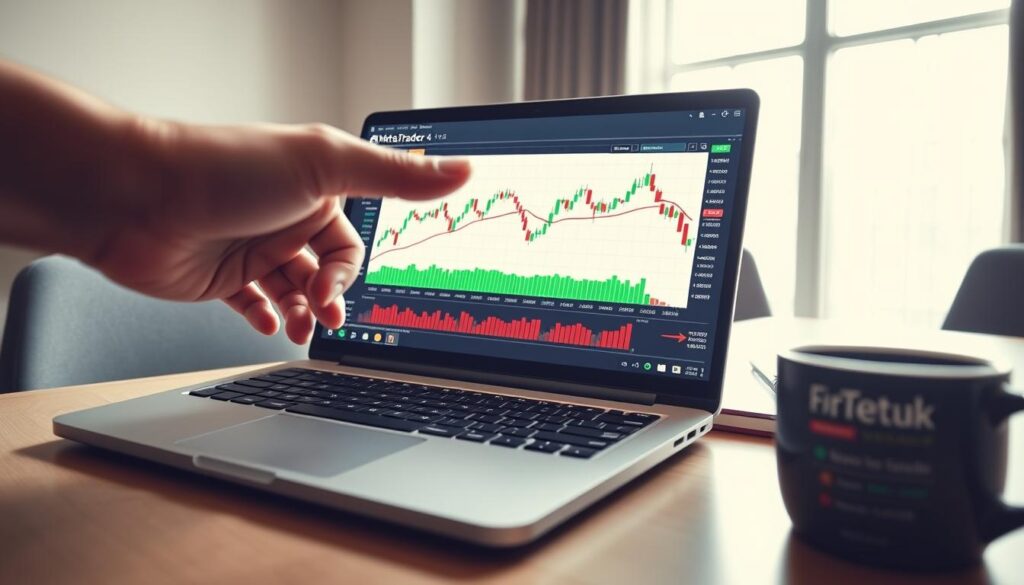
Customizing and adding indicators transforms basic charts into sophisticated analytical instruments for informed trading decisions. The platform includes thirty built-in technical indicators organized within the Navigator window. These tools are immediately available after installation.
Traders can access various indicator categories including Trend, Oscillators, and Volumes. Each category serves specific analytical purposes in forex trading. The organized structure helps users quickly locate the right tools.
Custom indicators require manual installation through the MQL4/indicators folder. Users download indicator files and copy them into this directory. After restarting the platform, custom tools appear in the Navigator.
Indicator customization offers significant flexibility for personalized analysis. Traders can adjust calculation periods and modify input parameters. Visual appearance changes include colors and line styles.
Applying multiple indicators creates comprehensive analytical frameworks. Combining different indicator types supports confirmation-based trading approaches. This strategy enhances market analysis capabilities.
The platform provides over fifty additional indicators beyond the standard set. This extensive collection supports diverse trading strategies. Both built-in and custom tools contribute to effective market analysis.
Utilizing Technical Analysis Tools for Effective Trading Decisions
Technical analysis transforms raw market data into strategic trading opportunities. The platform provides comprehensive tools that help traders identify patterns and make informed decisions.
These analytical resources work together to create a complete market picture. Traders can combine different approaches for more reliable signals.
Built-In Technical Indicators Overview
The system includes thirty built-in technical indicators organized by function. These cover trend analysis, momentum oscillators, and volume measurements.
Trend indicators like Moving Averages identify market direction. Oscillators such as RSI highlight overbought or oversold conditions. Volume tools confirm the strength behind price movements.
This variety supports different trading styles and timeframes. Each category serves specific analytical purposes in market evaluation.
Utilizing Drawing Tools for Trend Identification
Twenty-four graphical objects help mark significant price levels on charts. Traders can draw trend lines, channels, and Fibonacci retracements directly.
These tools identify support and resistance zones with precision. They also help recognize chart patterns like triangles and head-and-shoulders formations.
The right-click functionality allows instant order placement at visually identified entry points. This creates a seamless workflow from analysis to execution.
Combining indicators with drawing tools creates robust trading frameworks. This multi-layered approach provides confirmation from various technical perspectives.
Leveraging MetaTrader 4 Malaysia for Market Advantage

The trading environment offers unique advantages for developing effective strategies in Southeast Asian markets. Traders gain competitive edges through real-time data feeds that monitor regional economic developments.
These live updates provide crucial information about central bank decisions and market-moving events. The platform’s stable connectivity ensures quick reactions to changing conditions.
Strategic approaches capitalize on overlaps between Asian, European, and American sessions. This timing creates optimal liquidity and volatility conditions for various trading strategies.
Risk management becomes particularly important for local participants. Position sizing and diversification across instruments help spread market exposure effectively.
Analytical tools monitor correlations between economic indicators and global trends. This comprehensive approach supports informed decisions in the dynamic forex environment.
Integrating Mobile Trading with the MT4 Platform
Portable trading solutions provide continuous market connectivity for active participants on the move. The mobile platform extends desktop capabilities to smartphones and tablets. This flexibility ensures constant access to global markets regardless of location.
Android users download the application from the Google Play Store using existing credentials. The interface offers complete trading features optimized for touchscreen devices. Interactive charts with multiple timeframes support thorough analysis.
iOS applications for iPhone and iPad include 50+ technical analysis tools. Real-time price quotes keep traders informed about market movements. Push notifications alert users to important price changes and order executions.
The mt4 platform synchronizes seamlessly across all devices. Traders use identical login information for consistent access. Chart templates and workspace settings remain available on mobile versions.
This mobile trading capability provides practical advantages for active market participants. They can monitor positions during commutes and respond to events while traveling. The mt4 platform ensures no critical opportunities are missed.
Ensuring Security and Optimal System Performance on MT4

System stability and data protection mechanisms work together to deliver uninterrupted market access for traders. These features create a reliable environment for executing strategies under various market conditions.
Data Encryption and Real-Time Order Execution
Advanced 129-bit encryption protects all transmitted data between terminals and servers. This security layer prevents unauthorized access to account information and trading activities.
Real-time order execution minimizes delays between submission and market processing. The system reduces slippage during volatile conditions. Traders receive complete order fills at intended price levels.
This architecture ensures quick response to changing market prices. It maintains execution quality even during high-volume trading periods.
Stability Measures and Regular Software Updates
Robust error handling maintains platform stability during network disruptions. Automatic reconnection features restore server links without manual intervention.
Regular updates address security vulnerabilities and enhance execution algorithms. Most installations occur automatically with minimal user involvement.
Traders should monitor connection status indicators for optimal performance. Verifying price feed consistency ensures accurate trading decisions.
These measures create a secure and efficient trading system. They protect user data while maintaining reliable order processing under all market conditions.
Maintaining and Updating Your MT4 Setup for Seamless Trading
A well-maintained system provides reliable access to global markets without unexpected interruptions. Regular upkeep ensures the trading platform operates efficiently during critical sessions.
The software features an automatic update system that requires minimal user intervention. This keeps the platform current with security patches and performance improvements.
Traders should perform routine maintenance to optimize their setup. This includes clearing old chart data and managing custom indicator files.
Backing up important templates and Expert Advisors prevents data loss. Organizing workspace profiles ensures quick access during active trading.
Watch for signs of performance degradation like slow chart loading. Delayed order execution or connection instability may indicate system issues.
Keeping the Windows operating system updated maintains compatibility. This ensures both the application and system levels remain secure.
Proper folder organization helps manage multiple custom indicators. A clean workspace loads quickly and operates efficiently during market hours.
Regular maintenance preserves the platform’s reliability for uninterrupted trading activities. This proactive approach prevents technical problems during volatile conditions.
Final Thoughts on Launching Your MetaTrader 4 Journey in Malaysia
Financial market success hinges on combining powerful technology with disciplined execution strategies. The platform gives traders the flexibility to operate on their terms across various approaches.
Both newcomers and experienced traders find value in this adaptable environment. Beginners benefit from intuitive design while advanced users leverage sophisticated automation tools.
New participants should start trading with demo accounts to build confidence gradually. This practice phase helps develop effective trading strategies without financial risk.
The forex trading journey continues beyond initial platform mastery. Ongoing education through broker resources and community engagement supports long-term growth in the dynamic market environment.
Success in trading ultimately depends on commitment to learning and consistent execution. The right tools provide the foundation, but disciplined traders achieve lasting results.