Finding the market’s direction is a core challenge for anyone involved in financial markets. A clear view of the trend helps traders make smarter decisions and manage risk. This guide explores a powerful tool designed to simplify this process on a popular trading platform.
The tool combines a moving average with market volatility data. It paints a dynamic line directly on the price chart. This line follows the price action, clearly showing if an asset is in an uptrend or downtrend.
It is valuable for both new and seasoned market participants. They can use it to analyze various assets like forex, stocks, and cryptocurrencies. The visual signal helps in building effective trend-following strategies.
This article provides a complete walkthrough. Readers will learn how to install, configure, and apply this tool. The goal is to help them spot opportunities and receive timely alerts for potential trades, especially in fast-moving markets.
Overview of the Supertrend Indicator on MetaTrader 4
At the heart of many profitable trading systems lies the ability to distinguish between trending and ranging markets. This popular tool provides a clear visual aid for this very purpose. It plots a dynamic line directly onto the price chart, offering immediate insight into the market’s current bias.
Core concepts of trend following and reversal strategies
This analytical instrument supports two primary strategic approaches. Trend-following strategies involve entering trades in the direction of the established momentum. Conversely, reversal strategies aim to capitalize on a shift in momentum as a new trend begins to form.
The tool’s calculations are based on the Average True Range (ATR), a measure of market volatility. This allows the resulting line to adapt its position relative to price movements. It creates a responsive and accurate representation of the prevailing trend.
Benefits of using a dynamic trend line
The primary advantage is its dynamic nature. Unlike static levels, this line moves with the market, providing a real-time reference point. It can also function as a powerful risk management aid.
Traders often use it to set a trailing stop-loss, helping to protect profits during strong directional moves. This versatility simplifies analysis by combining trend identification and exit signals into one clear visual element.
Setting Up the metatrader 4 supertrend indicator

Proper installation ensures traders can access all the features this analytical tool offers. The setup process is straightforward and follows similar steps for both popular trading platforms.
Downloading and Installing the Indicator
Traders can obtain free versions of this tool along with its source code. The installation involves a few simple steps:
- Download the archive file for your specific platform version
- Access the data folder through the File menu
- Copy files to the appropriate MQL folder
- Restart the platform or refresh the indicator list
This process makes the tool available in the Navigator window for immediate use.
Platform Compatibility: MT4 and MT5 Overview
The tool works on both major platform versions. The MT4 and MT5 installations follow identical procedures with minor folder name differences.
Version 2, released in July 2025, added important alert and notification functionality. This update enhanced the tool’s practical trading applications significantly.
Traders need an active account with a broker supporting their chosen platform. This requirement applies whether using the MT4 or MT5 version of the analytical tool.
Understanding the Indicator’s Components and Parameters
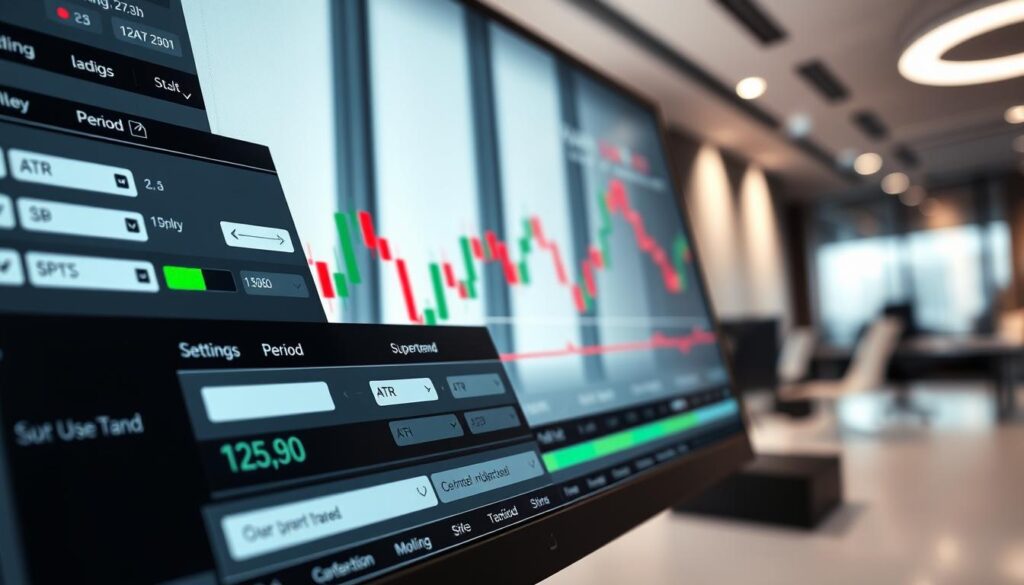
Traders can fine-tune their trend analysis by adjusting several key calculation settings. These parameters control how the tool responds to market movements and displays trend information.
ATR Multiplier, ATR Period, and ATR Value explained
The average true range forms the foundation of all calculations. This ATR measures market volatility across a specified number of bars.
The ATR period determines how many candlesticks the tool analyzes. A higher number creates a smoother average true range calculation.
The ATR multiplier acts as a sensitivity control. Higher values create wider bands that reduce false signals. This multiplier works with the calculated ATR value.
Together, these settings position the trend line relative to price action. The true range measurement ensures accurate adaptation to changing market conditions.
Understanding the moving average and price shift settings
The moving average component filters out short-term noise. It provides a smoother trend representation on the chart.
The price shift setting allows forward or backward adjustment of the line. Traders can offset the indicator for better visual alignment with price patterns.
Proper configuration of these parameters is essential. It adapts the tool to different trading instruments and individual styles.
How the Supertrend Indicator Facilitates Trend Analysis

Mastering trend identification techniques provides traders with a significant advantage in fast-moving financial markets. This analytical tool offers clear visual cues that help interpret market momentum across various assets.
Spotting trend changes and interpreting signals
Traders can identify important trend changes by watching when the colored line switches position relative to price action. When the line moves from below to above the candles, it signals a potential shift in trend direction from bullish to bearish.
Conversely, movement from above to below indicates a bullish reversal. These clear signals help traders time their entries and exits effectively. The tool provides immediate visual feedback about market direction.
Managing risk with stop-loss and trailing stop features
The dynamic line serves as an excellent tool for risk management. Traders can use it to set trailing stop-loss orders that protect capital while allowing profits to grow.
This approach works well across different timeframes and currency pair markets. As the trend progresses, the stop-loss automatically adjusts, locking in gains during favorable price movements.
Proper risk management involves placing stops just beyond the indicator line. This strategy helps traders navigate market volatility while maximizing potential returns on each currency pair trade.
Reading Price Trends: Uptrends, Downtrends, and Alerts

Visual confirmation of trend shifts through clear chart markers enhances trading decision timing. The relationship between price action and the analytical tool provides immediate market insights.
Deciphering candle positions relative to the trend line
Traders can quickly assess market conditions by observing candle positions on the line chart. When candles appear above the dynamic line, the currency pair is likely in an uptrend. This bullish setup suggests buying pressure dominates the market.
Conversely, candles below the line indicate a downtrend for the trading pair. The tool uses color changes and arrow markers to reinforce these signals. Green arrows mark upward breakouts while red arrows signal downward movements.
These visual cues help identify potential reversal zones. The spatial relationship between individual candlesticks and the trend line reveals strength in the current direction.
Using alert notifications for timely trading decisions
The alert system provides crucial notifications when the trend line changes direction. Traders can configure these alerts to send messages directly to their platform, mobile devices, or email.
This functionality allows monitoring multiple currency pairs simultaneously. Automated alerts ensure traders never miss important trend changes. The system supports push-notifications and native platform alerts.
Combining visual chart analysis with automated alerts creates a comprehensive monitoring solution. This approach supports timely decision-making whether actively watching markets or away from trading screens.
Installation and Configuration for MT4 and MT5

The installation process bridges the gap between downloading the tool and applying it to live market analysis. Proper setup ensures traders can access all features immediately after installation. Both platform versions follow similar procedures with minor folder differences.
Step-by-step instructions for the MT4 platform
Begin by downloading the archive file for your specific software version. Access the data folder through the File menu and navigate to the MQL4 directory. Copy all folders from the archive directly into this location.
Restart the application or refresh the indicators list by right-clicking the Navigator window. This makes the tool available for immediate chart application. Traders need an active account with brokers supporting this platform.
Guidelines for setting up on MetaTrader 5
The MT5 installation mirrors the MT4 process but uses the MQL5 folder instead. Download the appropriate archive and open the data folder via File->Open Data Folder. Copy the files to the MQL5 directory for proper functionality.
After file transfer, restart the software or refresh the indicator list. Both versions offer similar core features with minor interface variations. Configuration includes setting up alerts and adjusting visual preferences for optimal chart display.
Best Practices for Integrating Supertrend with Other Trading Tools

Building a robust trading system requires combining multiple technical indicators for confirmation. While the supertrend indicator excels at trend identification, it can generate false signals during sideways market conditions. This makes confirmation from additional tools essential for reliable trading decisions.
Combining with moving averages and other indicators
Traders often pair this tool with moving averages to create a multi-layered analysis system. The moving average helps validate the overall trend direction before entering positions. This combination filters out weak signals and increases trade probability.
Other popular indicators like RSI or MACD can provide momentum confirmation. Using multiple tools together creates a comprehensive approach that considers various market factors. This strategy works well across different trading instruments and timeframes.
Strategies for trend confirmation and support/resistance analysis
The lines formed by this analytical tool effectively act as dynamic support and resistance levels. During uptrends, the line often functions as strong support where price consistently finds buying interest. In downtrends, it becomes dynamic resistance.
Traders should wait for signals to align with breakouts from traditional support or resistance zones. This confluence of factors suggests high-probability trading opportunities. Proper integration creates a system that improves performance across various market conditions.
Final Thoughts on the Supertrend Indicator and Its Trading Impact
In the dynamic world of financial markets, having clear visual guidance can significantly improve decision-making. The supertrend indicator stands out for its ability to transform complex price movements into straightforward signals on the chart.
This tool’s dynamic line helps traders stay aligned with dominant market movements. It provides valuable support for trend-following strategies, allowing market participants to make timely entries and exits.
However, no analytical tool guarantees perfect accuracy. Successful trading requires combining the supertrend with sound risk management practices. Protecting capital remains the priority for all serious traders.
The true value emerges when this tool integrates into a comprehensive trading plan. When applied correctly, it enhances the ability to identify opportunities while safeguarding capital against adverse price movements.