Malaysian traders looking for a professional solution have a powerful option. The MT4 platform is a global leader in the financial markets. Its robust tools suit both new and experienced traders.
This software runs seamlessly on computers using the Windows operating system. Users benefit from native compatibility and optimal performance. The setup is designed to be quick and straightforward.
This guide provides clear steps for Malaysian traders. It covers the entire process from obtaining the software to initial configuration. The goal is to help you start your trading journey with confidence.
The platform’s wide adoption means you access the same tools as professionals worldwide. It supports multiple languages, making it a great choice for Malaysia’s diverse community. Understanding the setup unlocks advanced features like automated trading.
Understanding the Essence of MetaTrader 4
The essence of this renowned trading software is its perfect blend of simplicity for newcomers and depth for experts. It removes technical barriers, presenting powerful tools in an accessible format.
User-Friendly Interface and Global Adoption
This platform’s intuitive design is a key reason for its worldwide popularity. It supports 39 languages, making it highly accessible for Malaysian traders. This allows for clear market analysis and precise trade execution in a familiar language.
The software’s global adoption by brokers demonstrates its reliability. Traders gain access to a vast community and extensive online resources.
Powerful Charting and Analytical Tools
Users benefit from advanced charting capabilities to visualize market movements across various timeframes. This supports both short-term and long-term trading strategies.
The platform provides a diverse range of financial instruments. Traders can access Forex, stock indices, commodities, bonds, and cryptocurrencies all in one place.
Built-in analytical tools and fast execution speed help traders identify opportunities and manage positions effectively. This combination of features creates a robust environment for informed decision-making.
Why MetaTrader 4 is Ideal for Malaysian Traders
The platform stands out for Malaysian market participants due to its specialized features addressing local trading requirements. It provides excellent connectivity with Malaysia’s internet infrastructure. This ensures stable performance during volatile market conditions.
Localized Features and Support
Malaysian traders benefit from real-time market data feeds. These keep them informed about regional economic developments. The platform handles multiple currency pairs effectively.
This is valuable in Southeast Asia’s dynamic forex environment. Users can react quickly to changing trading conditions. The system works reliably with local internet services.
Robust Trading Capabilities for Diverse Markets
The platform supports various asset classes beyond forex. Traders can access global stock indices and commodities. This creates diversified trading strategies.
Risk management tools help protect capital during market volatility. Malaysian traders can participate across different market sessions. They maintain flexibility according to their schedule.
The low system requirements make professional trading tools accessible. Users don’t need expensive hardware for optimal performance.
Exploring Key Features of the MT4 Platform
Traders gain access to a diverse range of technical analysis instruments within the MT4 environment. The platform’s comprehensive toolkit supports informed decision-making across various market conditions.
Advanced Technical Indicators and Charting
The MT4 platform includes 30 built-in technical indicators for market analysis. These tools help identify trading opportunities across different timeframes.
Traders can expand their analytical capabilities with over 50 additional indicators. The platform organizes these into categories like Trends, Oscillators, and Volumes.
Customizable charting features allow personalization of visual analysis environments. Users can modify colors, timeframes, and layouts to match their strategies.
Drawing tools provide 24 graphical objects for marking key price levels. These include trend lines, channels, and support/resistance markers.
Expert Advisors and Automation Capabilities
Expert Advisors represent the platform’s powerful automation feature. They enable algorithmic trading strategies through the MQL4 programming language.
Traders can download pre-built advisors from the MetaTrader Marketplace. They also have the option to develop custom trading robots.
This automation works alongside manual analysis tools. The combination creates a flexible environment for both discretionary and systematic approaches.
The platform’s automation capabilities help traders execute strategies consistently. This is particularly valuable in the fast-moving forex market.
Downloading MetaTrader 4 for Windows

Before traders can access the powerful tools discussed earlier, they must first acquire the software through a straightforward download process. This initial step prepares their Windows computer for the full trading experience.
Initiating the Download Process
Traders begin by obtaining the installation files from an official source. They’ll need a stable internet connection and adequate storage space on their device. The platform works efficiently even on older systems.
Verifying system compatibility ensures smooth operation. Users should confirm their Windows operating system meets basic requirements. This preparation prevents potential installation issues.
Understanding Pop-Up Prompts and Installer Requirements
Windows security features may display confirmation dialogs during the download. These pop-ups represent standard protection measures against unauthorized software. Traders should click ‘Run’ when prompted.
The installation file typically measures under 2 MB in size. This compact size allows quick downloading even with slower connections. Proper response to security prompts ensures uninterrupted setup.
Once the file downloads completely, users transition to the installation phase. The entire procedure typically completes within minutes. Understanding these steps creates a seamless entry into the platform.
Installing MetaTrader 4 on Your Windows PC
Setting up the trading software on a Windows computer requires minimal technical expertise. The installation process is designed to be user-friendly and efficient.
Users can complete the entire setup in just a few simple steps. This quick installation gets traders ready for market analysis quickly.
Step-by-Step Installation Wizard Guidance
After downloading the file, traders should locate it in their Downloads folder. Double-clicking the setup file begins the installation wizard.
The wizard displays a welcome screen with clear instructions. Clicking ‘Next’ progresses through each step of the setup process.
This automated process configures all necessary system settings. It creates the proper folder structure for trading data and tools.
The software installation typically completes in under one minute. This speed comes from the platform’s compact design and efficient coding.
Creating Shortcuts and Launching the Terminal
Upon completion, the wizard shows a confirmation message. It automatically creates a desktop shortcut for easy access.
The terminal usually launches immediately after installation finishes. If it doesn’t open automatically, traders can double-click the new shortcut.
This straightforward process ensures quick access to the trading platform. Users can then proceed to connect their broker account and begin trading.
Navigating the MT4 Terminal Interface
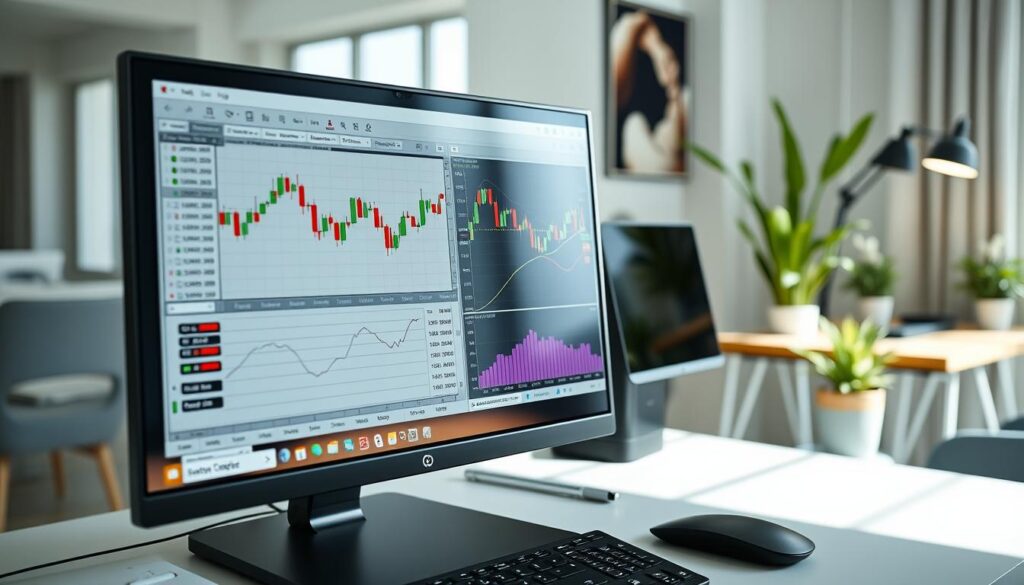
When first opening the application, traders discover a multi-window environment optimized for real-time trading operations. The interface presents key information in clearly defined sections that work together seamlessly.
Personalizing Your Workspace Layout
The default setup displays four currency pair charts in the central area. On the left side, the Market Watch window shows real-time prices and trading instruments. Below this, the Navigator window provides access to accounts and analytical tools.
Traders can rearrange these elements to match their workflow preferences. They can resize windows, detach charts, and create custom layouts. This flexibility allows each user to build an efficient trading environment.
Managing Charts, Indicators, and Toolbars
Each chart offers nine different timeframes, from one-minute to monthly views. This range supports various trading strategies from scalping to long-term analysis. The platform enables quick switching between these time perspectives.
Toolbars and menus provide fast access to frequently used functions. Traders can customize these to streamline their workflow. This organization reduces the time needed for order execution and position management.
The system allows saving multiple workspace profiles for different trading sessions. This feature helps maintain consistency across various market conditions. Efficient workspace management enhances overall trading performance.
Creating and Managing a Demo Account in MT4
The demo account feature serves as an essential training ground for both new and experienced market participants. It provides a risk-free environment where traders can develop their skills without financial pressure.
Benefits of Using a Demo Account
A free demo account offers access to real market conditions with live price feeds. Traders experience the same environment they’ll encounter with real money. This allows for strategy testing without capital risk.
Users can open multiple demo accounts to experiment with different approaches. They test various account types and trading strategies simultaneously. This flexibility helps build confidence before transitioning to live trading.
Guided Registration and Account Setup
The registration process begins by clicking the “Demo Account” button. Traders fill a simple form with basic information. They select their preferred account type and leverage ratio.
After submission, users receive an email containing login credentials. They’ll need this information to access their demo account. The platform window then allows practice with different order types and risk management tools.
Customizing Settings and Preferences in MT4
The ability to fine-tune settings transforms the platform from a generic tool into a personalized trading station. Malaysian traders can adjust numerous parameters to match their workflow and visual preferences.
Optimizing Display and Alert Configurations
Traders can modify chart colors, background themes, and font sizes for optimal visibility. These display adjustments ensure clear market data viewing in various lighting conditions.
Alert configurations provide valuable monitoring assistance. By pressing CTRL+T and accessing the Alerts tab, users set notifications for specific price levels or indicator values. They can customize sounds, trigger prices, and notification methods.
Configuring Risk Management and Order Types
Risk management settings help protect trading capital. Traders configure default stop-loss distances and maximum order sizes. These parameters enforce disciplined trading practices.
The software supports various order types for different strategies. Market orders execute immediately, while pending orders wait for specific entry points. One-click trading enables instant execution directly from charts.
This feature benefits scalpers and day traders who need rapid order placement. Customizing these settings creates a safer, more efficient trading environment.
metatrader 4 download windows: Step-by-Step Guide
The final phase of preparation involves connecting the installed software with trading credentials. This critical step transforms the platform from a standalone application into a fully functional trading terminal.
Traders must carefully follow the connection protocol to ensure seamless market access. Proper configuration prevents login issues and data synchronization problems.
Direct Download Links and Server Selection
After completing the installation, traders receive an email with essential connection details. This message contains the account number, password, and specific server name.
Server selection determines which broker’s system the platform connects to. Users must enter the exact server name from their registration email. Accurate server entry ensures proper connectivity to live market data.
Activating and Launching the Platform
The activation process begins by selecting “Existing trade account” from the login window. Traders then enter their credentials received via email.
Copy-pasting the account number and password prevents typing errors. After clicking “Finish,” the system establishes connection to trading servers. The platform then downloads current market information and prepares for trading activities.
This completes the setup journey, allowing Malaysian traders to begin their market analysis. The platform is now ready for real-time trading operations.
Utilizing Trading Tools and Technical Analysis in MT4

Successful trading strategies often rely on comprehensive technical analysis capabilities. The platform provides powerful tools for examining historical price data and identifying market patterns. This approach helps traders make informed decisions based on objective criteria.
Accessing Built-In Indicators and Chart Templates
Traders can access 30 built-in technical indicators through the Navigator window. These tools cover various analytical approaches including trend-following and momentum oscillators. Each indicator offers customizable parameters for precise market analysis.
Chart templates allow users to save their preferred indicator combinations. This feature enables quick application of consistent analysis setups across multiple instruments. Traders can create personalized templates for different trading strategies.
Drawing Tools for Trend Analysis
The platform includes comprehensive drawing tools for visual analysis. Traders can apply trend lines, channels, and Fibonacci retracement levels directly to charts. These tools help identify significant support and resistance zones.
Right-clicking on any price level allows instant order placement. This streamlined process ensures precise execution at visually identified entry points. The combination of drawing tools and direct order access enhances trading efficiency.
How to Add and Customize Forex Indicators on MT4
Technical analysis becomes significantly more powerful when traders master the art of adding and customizing indicators on their platform. This process allows for a personalized approach to reading price movements and market trends.
Installing Built-In versus Custom Indicators
The platform offers two main types of analytical tools. Built-in indicators are ready to use immediately after you install mt4. They appear organized in the Navigator window.
Custom indicators require a simple manual installation. Traders need to access the data folder on their computer. They copy the custom files into the MQL4/indicators folder.
After placing the files, a quick restart of the mt4 platform makes them available. They will then appear in the Custom indicators section of the Navigator window.
Practical Tips for Indicator Settings
Effective customization is key to useful forex analysis. Adjusting the period settings helps align an indicator with your trading timeframe. This improves its relevance to current price action.
Changing colors can enhance visibility on the chart. It is wise to test different settings on historical data first. Avoid using too many tools at once to prevent confusion.
Focus on a small set of complementary indicators. This strategy supports a clearer and more decisive forex trading approach.
Leveraging Expert Advisors and Automated Trading

Expert advisors transform how traders interact with financial markets. These sophisticated programs automate trade execution based on predefined rules. This approach ensures consistent strategy application.
Introduction to MQL4 Programming
The MQL4 programming language powers these automated systems. Traders use this specialized language to code complex trading logic. It handles entry rules, risk parameters, and order management.
Those new to programming can find pre-built solutions. The marketplace offers tested expert advisors for various strategies. This allows immediate access to automated trading.
Integrating Expert Advisors into Your Strategy
Installation requires placing files in the correct platform folder. After restarting, the system recognizes new advisors. Thorough backtesting on historical price data is essential before live use.
VPS services enable continuous operation of these automated systems. They monitor markets and execute trades around the clock. This ensures no trading opportunities are missed.
Always test advisors on demo accounts first. Automated systems can generate rapid losses if improperly configured. Proper integration creates a powerful trading partnership.
Accessing MT4 on Mobile Devices
Trading flexibility reaches new heights when traders extend their platform usage to smartphones and tablets. This mobile capability ensures continuous market access beyond desktop boundaries.
Both major mobile platforms deliver comprehensive functionality. Traders maintain full control over their account and positions while on the move.
Overview of MT4 for Android Devices
The Android app provides complete trading platform features optimized for touchscreens. Users download it from the Google Play Store using their existing credentials.
Interactive charts with multiple timeframes support thorough forex analysis. The interface allows quick order execution and position management.
Features of the MT4 iOS Application
iPhone and iPad users access identical trading capabilities through the iOS app. It includes 50+ technical analysis tools and real-time price quotes.
Push notifications alert traders to important market movements. This ensures they never miss critical trade opportunities.
Both mobile platforms synchronize seamlessly with desktop versions. Traders ‘ll need the same login information across all devices.
Ensuring Security and Optimal Performance

MT4 prioritizes both protection and performance, offering traders a secure environment where transactions execute reliably even during volatile market conditions. The platform’s design focuses on safeguarding user data while maintaining consistent system operation.
Data Encryption and Real-Time Trade Execution
Advanced encryption protocols protect all transmitted data between the trader’s terminal and broker servers. This security measure uses 129-bit keys to prevent unauthorized access to account information and trading activities.
Real-time order execution ensures minimal delays between submission and market processing. Traders benefit from reduced slippage and complete order fills at their intended price levels. The platform’s architecture supports this fast execution through optimized system resources.
Stability Measures and Software Updates
The MT4 platform maintains exceptional stability through robust error handling and automatic reconnection features. These measures ensure continuous trading operations during network disruptions or high-volume periods.
Regular software updates address security vulnerabilities and enhance execution algorithms. Most updates install automatically, requiring minimal user intervention. This proactive approach keeps the platform among the most reliable trading platforms available.
Traders should monitor connection status and price feed consistency to verify optimal performance. The MT4 system efficiently manages resources, allowing smooth operation on various computer specifications.
Tips for Optimizing Your MT4 Trading Experience
Building a successful trading career requires more than just technical knowledge. It demands disciplined practice and smart risk management. These habits form the foundation for long-term success in financial markets.
Maximizing the Use of Demo Accounts
Traders should treat their free demo account with the same seriousness as live trading. This approach builds the discipline they’ll need for real market conditions. Multiple demo accounts allow testing different strategies simultaneously.
Experiment with various account types and trading conditions in this risk-free environment. Test different order types and position sizes without financial pressure. The demo account becomes your personal training ground.
Implementing Effective Risk Management Techniques
Every trade requires proper risk controls. Set stop-loss orders to protect your account from significant losses. Limit position sizes to a small percentage of your total equity.
Establish clear rules for maximum daily loss limits. Email alerts can notify you about important account events. This proactive approach helps manage risk even when away from the platform.
Different forex trading strategies require tailored risk management. Test your approach thoroughly in demo conditions before going live. Consistent risk management separates successful traders from others.
Final Reflections on Your MT4 Journey in Malaysia
The completion of your MT4 setup marks the beginning of a transformative trading experience. Malaysian participants now access the same professional tools as global market professionals. This platform democratizes sophisticated trading capabilities for local traders.
Success in financial markets requires more than technical platform knowledge. It demands disciplined risk management and continuous learning. Understanding price action and market psychology proves equally important as software proficiency.
The journey from platform familiarization to consistent profitability involves strategic progression. Traders should thoroughly test strategies in demo accounts before live trading. Regular email communication with brokers ensures updated market awareness.
Mastering MT4’s features positions traders to identify unique opportunities. The global community provides valuable resources for Malaysian market participants. Shared indicators and expert advisors accelerate learning curves.
This platform serves as the tool that facilitates strategy execution. The real work lies in developing sound trading approaches. Dedicated practice and emotional control ultimately determine long-term success in forex markets.